Your Hue lights,
wired into your DAW.
SonicHue Sync reads the audio on a track — or everything your computer is playing — and drives your Philips Hue Entertainment lights in time with it. Per-band colour, beat-locked effects, and a strobe that knows where the drop is.
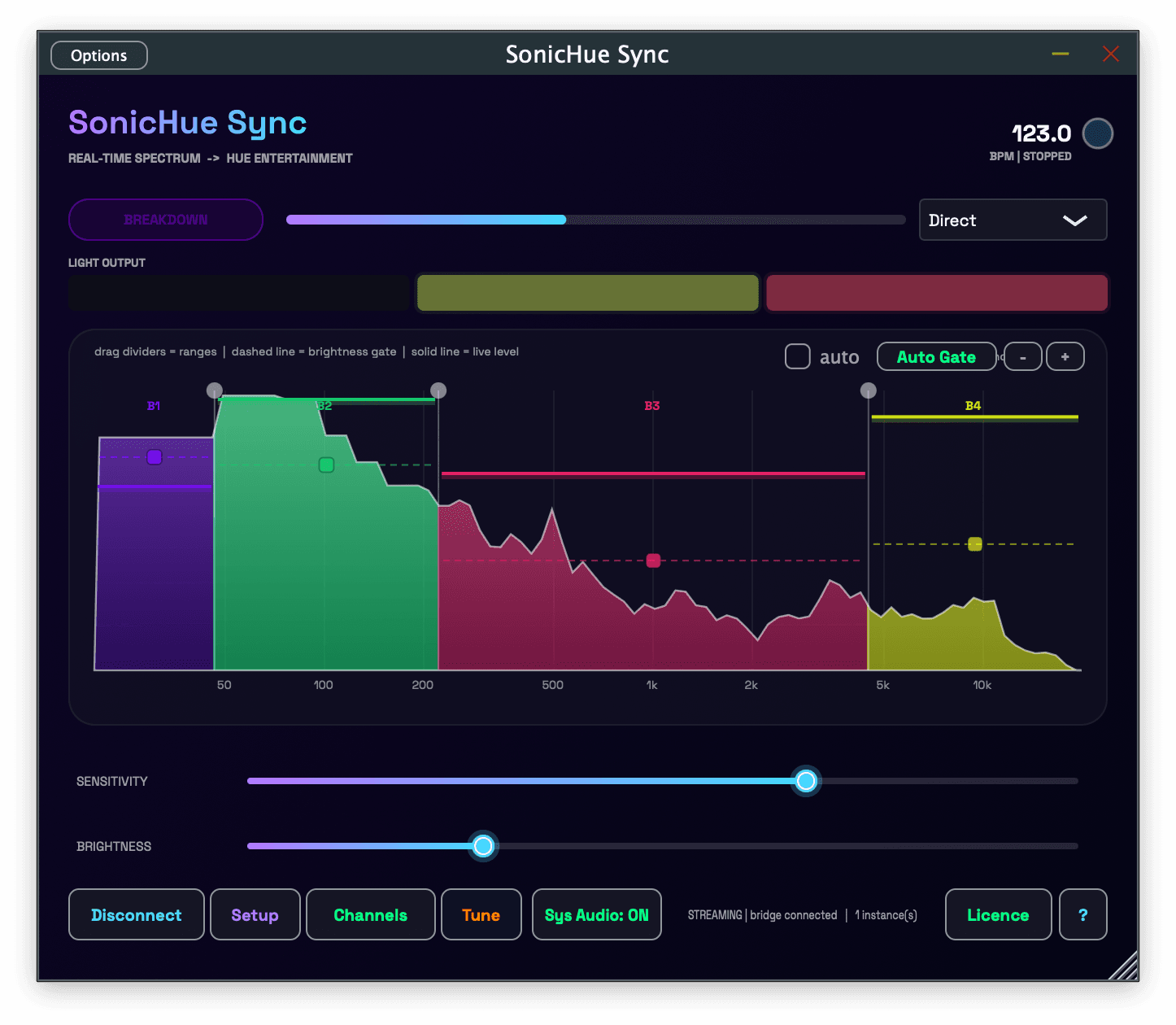
See it in action
See the spectrum, split it your way
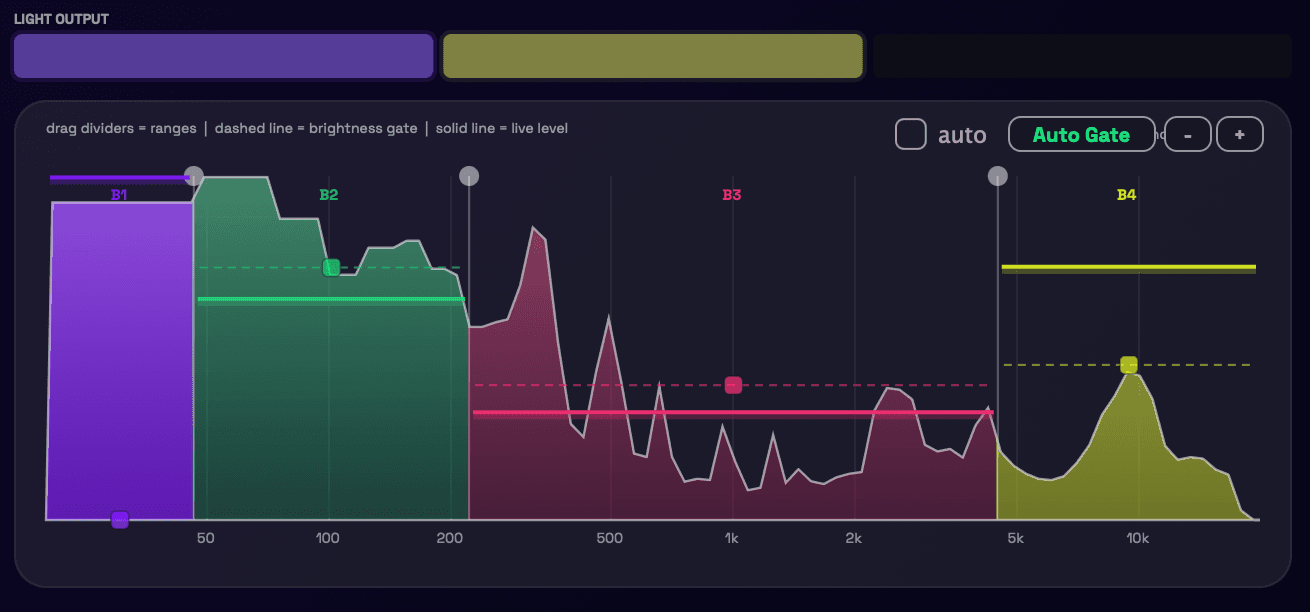
A live analyser with 2 to 12 bands. Drag the crossovers straight on the graph to decide what counts as bass, what counts as air, and where your lights should react. The dashed line is each band's brightness gate, the solid one is what it is doing right now — and Auto Gate will place those gates for you, once or every few seconds as the track moves.
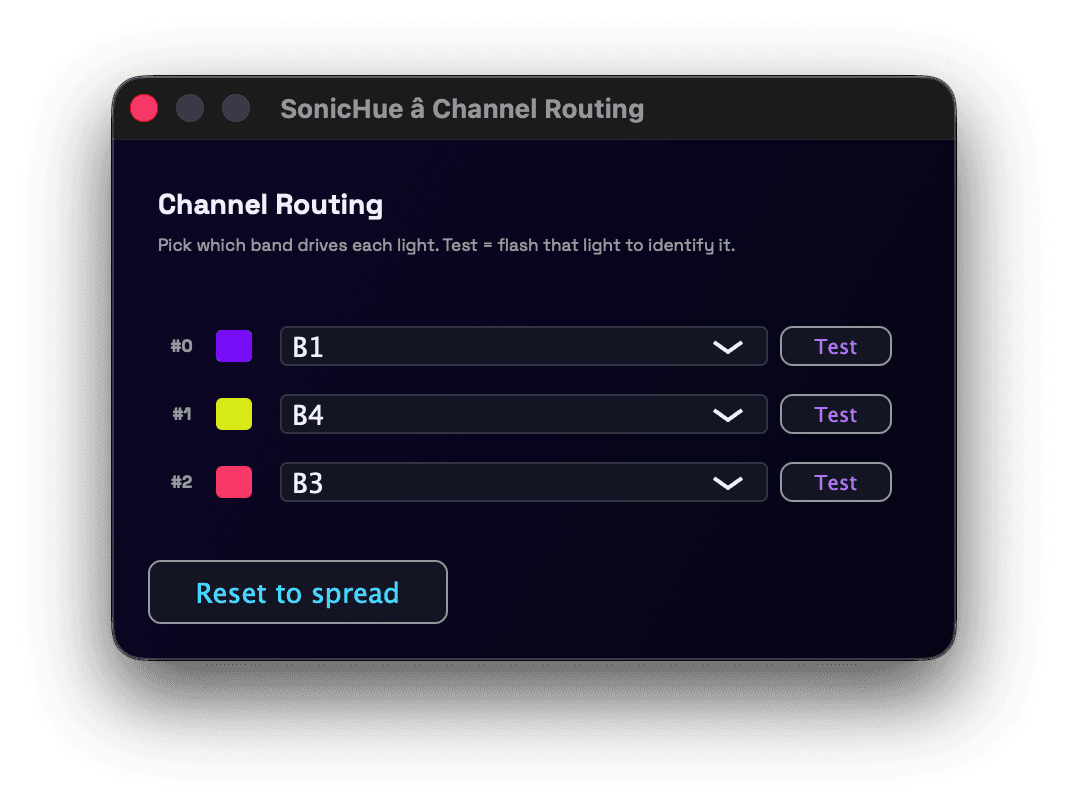
Every light gets its own band
Route each Hue light to the frequency band you want it to follow. A Test button flashes a single light so you can tell which one is which without walking the room twice.
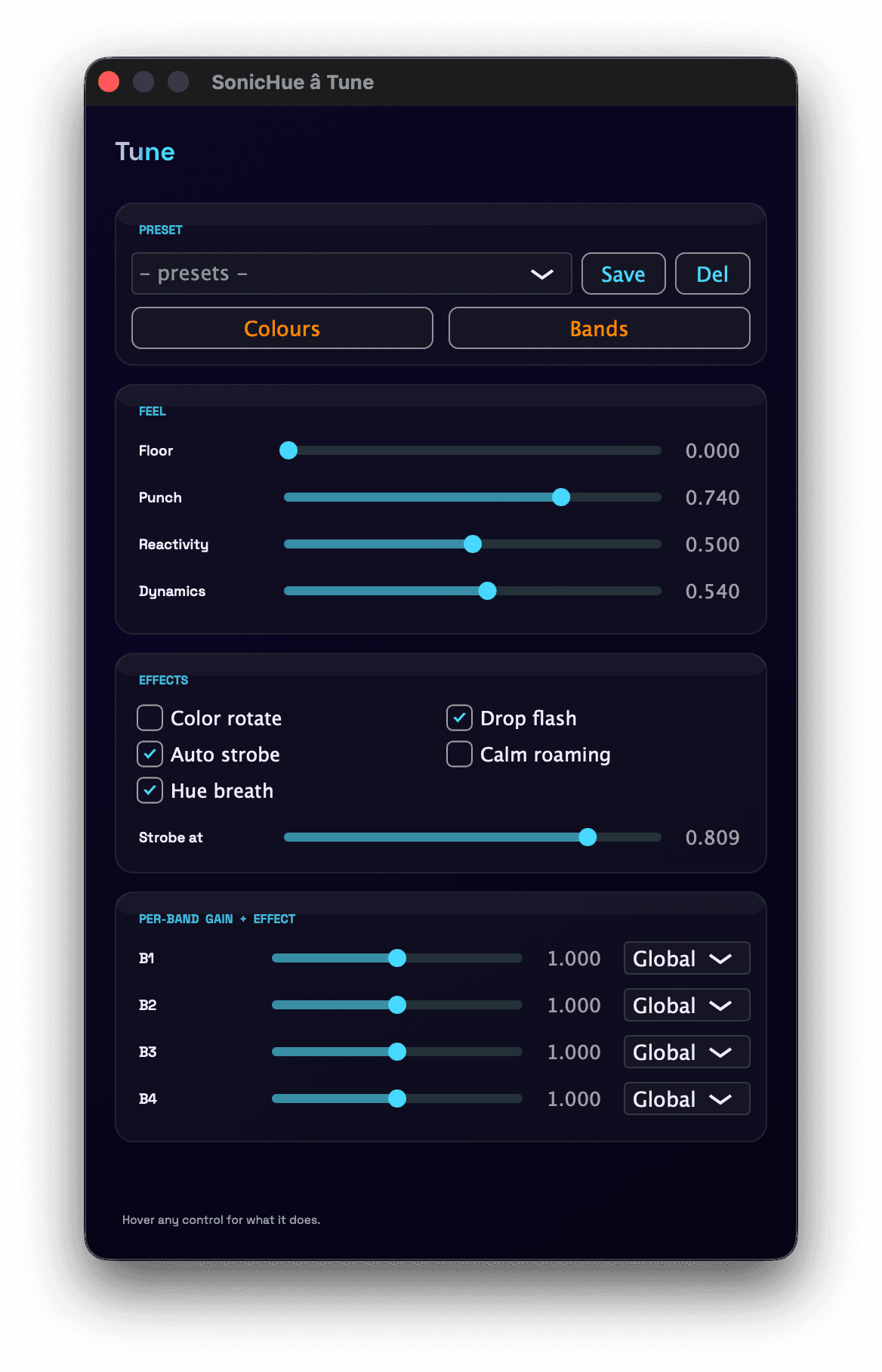
Tune it once, then leave it alone
Floor is how quiet a band can get before its light goes dark. Punch is how hard a hit lands, Reactivity how fast the lights chase the music, and Dynamics how far apart loud and quiet end up. Every effect has its own switch — drop flash, colour rotate, hue breath, calm roaming for the quiet stretches, and an auto strobe with a threshold you set yourself. Give any band its own gain or its own effect, then save the whole thing as a preset. Hover any control and it tells you what it does.
What it does
Built for people who already know their way around a mixer.
Auto Gate
Reads a few seconds of the track and sets each band's threshold just under its peaks, so lights fire on hits instead of riding the steady content.
Four ways to react
Direct, Pulse, Strobe and Wave, all on the beat grid. Inside a DAW the tempo comes from the host transport; on its own, the plugin works it out from the music.
Auto Strobe on the build
Hard white strobe through build-ups and the loudest sections. Every downbeat hits the whole rig; between them a bright spot travels round it.
Knows the drop
Tracks the track's energy — calm, building, sustained, breakdown — and flashes white the moment the drop lands.
Or no DAW at all
The standalone app can analyse whatever your computer is playing: a DJ set, Spotify, a browser tab. No virtual audio driver to install.
One instance per track
Put it on the kick, another on the synths, give each its own lights. All instances merge into the single stream the bridge allows.
Your colours
Pick the colour for every band, save the whole look as a preset, and switch between rooms or sets in one click.
Stays out of the way
Audio passes through untouched with zero reported latency. It analyses your signal; it never changes it.
Local, no account
The plugin talks straight to your own Hue Bridge over your network. No cloud service in the path, nothing to sign up for.
Set up once
Pair your bridge
Press the button on the Hue Bridge, pick your Entertainment area. Local network only.
Route the bands
Choose which light follows which part of the spectrum, then set the gates — or let Auto Gate do it.
Play something
Lights follow the music at 50 updates a second. Adjust the feel while it runs.
One payment. No subscription.
- VST3, AU and standalone — macOS and Windows
- Use it on 2 machines, move a seat any time
- Free updates
- 7-day free trial, no card needed
What you need
- A Philips Hue Bridge with an Entertainment area set up
- Colour-capable Hue lights in that area
- The computer and the bridge on the same local network
- macOS 11 or later (Apple Silicon and Intel), or Windows 10/11 64-bit
Looking for the iOS app instead? It's over here